Appearance
Customer portal overview
These pages are written for customers of couriers that use TWS CourierOS. Couriers can share links to them with their customers.
Your courier's customer portal is where you follow your packages, tell your courier what's coming, and see what you owe. Open it from your courier's website, or at the address your courier gives you, usually ending in /customer.
What you can do
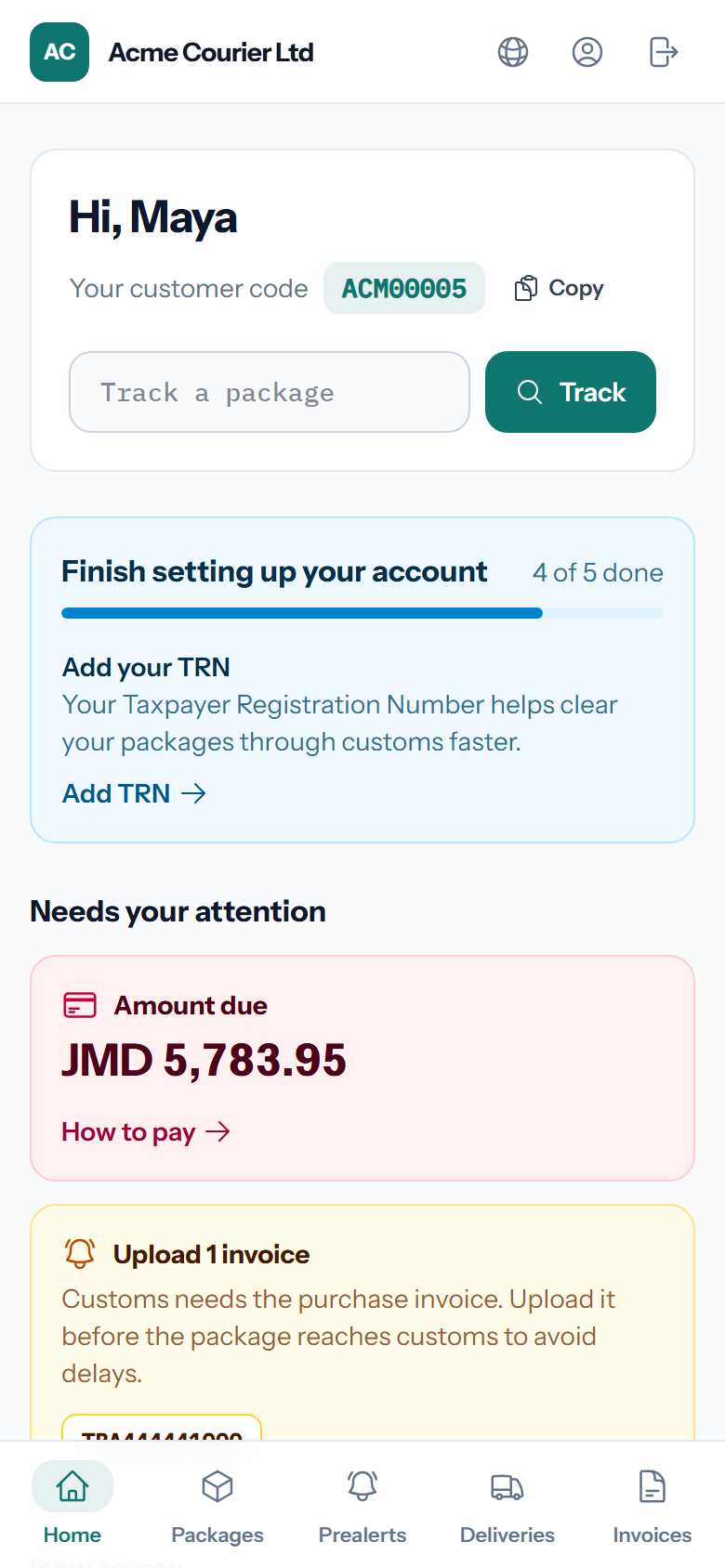
- Follow your packages from the overseas warehouse to ready for pickup, with a step-by-step timeline.
- Send a prealert so your courier knows a package is coming. See Prealerts.
- Upload invoices and receipts for your packages. Customs often asks for them.
- See what you owe and how to pay. See Paying an invoice.
- Download invoices and receipts.
- See your statement, with every invoice and payment.
- Ask for delivery to one of your saved addresses, if your courier offers delivery. See Getting packages delivered.
- Ask to combine packages into one box, if your courier offers it. See Combining packages.
- Choose where you collect, if your courier has more than one branch.
- Manage your profile: name, phone, photo, password, delivery addresses and which messages you get.
Your customer code
When your account opens you get a customer code, e.g. ACM00042. Put it on every order you ship to your courier's warehouse address. It's how your courier knows the package is yours.